Take Kevin, who runs a small printing and branding shop on Luthuli Avenue. His prices live in four places: a laminated sheet by the counter that is two years old, a PDF he sent a corporate client in March, a few WhatsApp messages where he agreed special rates, and his head, which holds the real current prices. When his nephew covers the counter, the customer gets whichever price the nephew finds first.
Kevin tried an AI assistant to help draft quotes faster. He pasted in the old PDF. The quotes came back quickly, well written, and wrong, because the PDF was wrong.
The assistant was not the problem. The price list was. This is a Stage 2 job on the NGAZI ladder: getting AI to work from your own document. And the document has to be written properly first.
One list, one place#
The rule is short: there is one price list, it lives in one place, and every other copy is a printout of it. Not the laminated sheet, not the PDF from March. When the price changes, it changes there first.
A simple document or spreadsheet is enough. A Google Doc, a Word file, a sheet in your system. What matters is that you, your staff and the assistant all read the same one.
Lay it out so a machine and a new employee can both read it#
Write it as if handing it to a sharp new employee on their first day, who knows nothing about your business. That is also how an AI reads it.
For each item, one row:
| Item | Unit | Price (KES) | Notes |
|---|---|---|---|
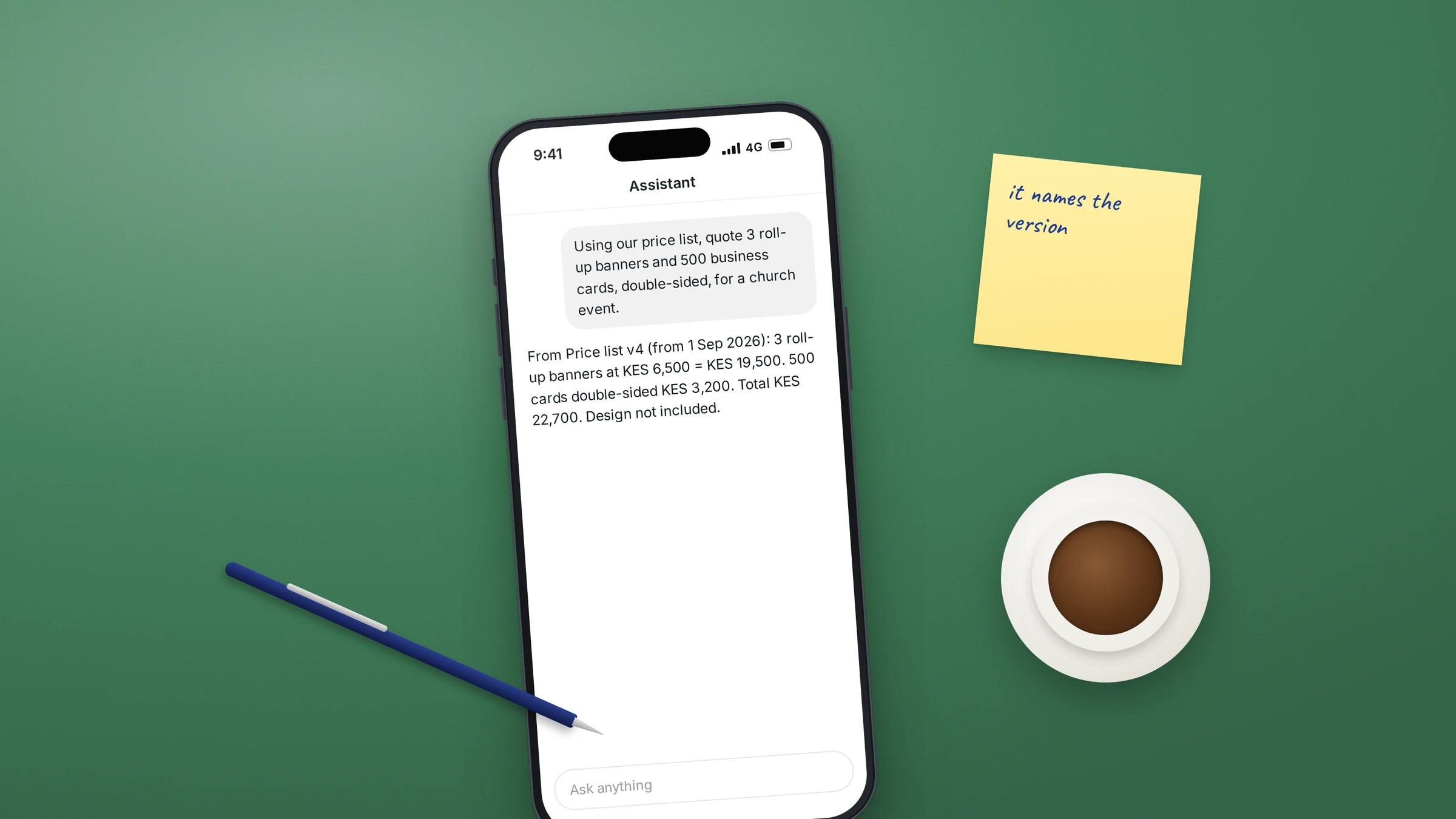
| Roll-up banner, 85 x 200 cm, with stand | each | 6,500 | Print only; design extra |
| Business cards, double-sided | per 500 | 3,200 | 350gsm matt |
| Design work | per hour | 1,500 | Minimum 1 hour |
Some rules that save a lot of trouble:
- Say the unit every time. "Per 500", "per metre", "each". A price without a unit will be multiplied wrongly sooner or later.
- Say what is not included. Design, delivery, installation. If it is not written, the assistant will not mention it and the customer will assume it is free.
- Write discounts as rules. "10% off orders over KES 50,000" is usable. "Discounts for good customers" is not.
- Keep special customer rates out. Agreed rates for one client belong in that client's record, not the general list. Otherwise they leak into quotes for everyone.
Put a version and a date at the top#
The most important line on the whole document is the first one:
Price list version 4. Valid from 1 September 2026. Replaces version 3.
That line does three jobs. It tells staff which list they are holding. It lets you ask the assistant to name the version it used, which is how you spot an old copy. And it gives you a history: when a customer disputes a quote from July, version 3 tells you what you were charging then.
Keep old versions in a folder called "old price lists", clearly named. Do not give them to the assistant for quoting. Pricing after a supplier increase covers deciding when a new version is due.
Using it day to day#
Once the list exists, the routine for a quote is quick. Attach or paste the current list into the assistant, or keep it in a project or saved instructions if your assistant supports that. Paste the customer's request. Ask for a quote with line items, the total and anything not included. Then check three things before sending: the version named matches today's list, every line matches the list, and the total adds up.
If you have never briefed an assistant this way, write a prompt the way you would brief a new employee walks through it.
The same list does more than quotes. Your staff can ask it questions while a customer waits. You can ask the assistant to compare it with a supplier's new prices and flag items where your margin has fallen. All of it works only because there is one list.
What to do this week#
Collect every price list you can find: the sheet on the wall, the PDFs, the WhatsApp messages. Put them side by side and write one new list from them, with units, notes and exclusions. Where two sources disagree, decide the correct price now. Put the version and date at the top. Print it, replace the old sheet, and delete or archive every other copy.