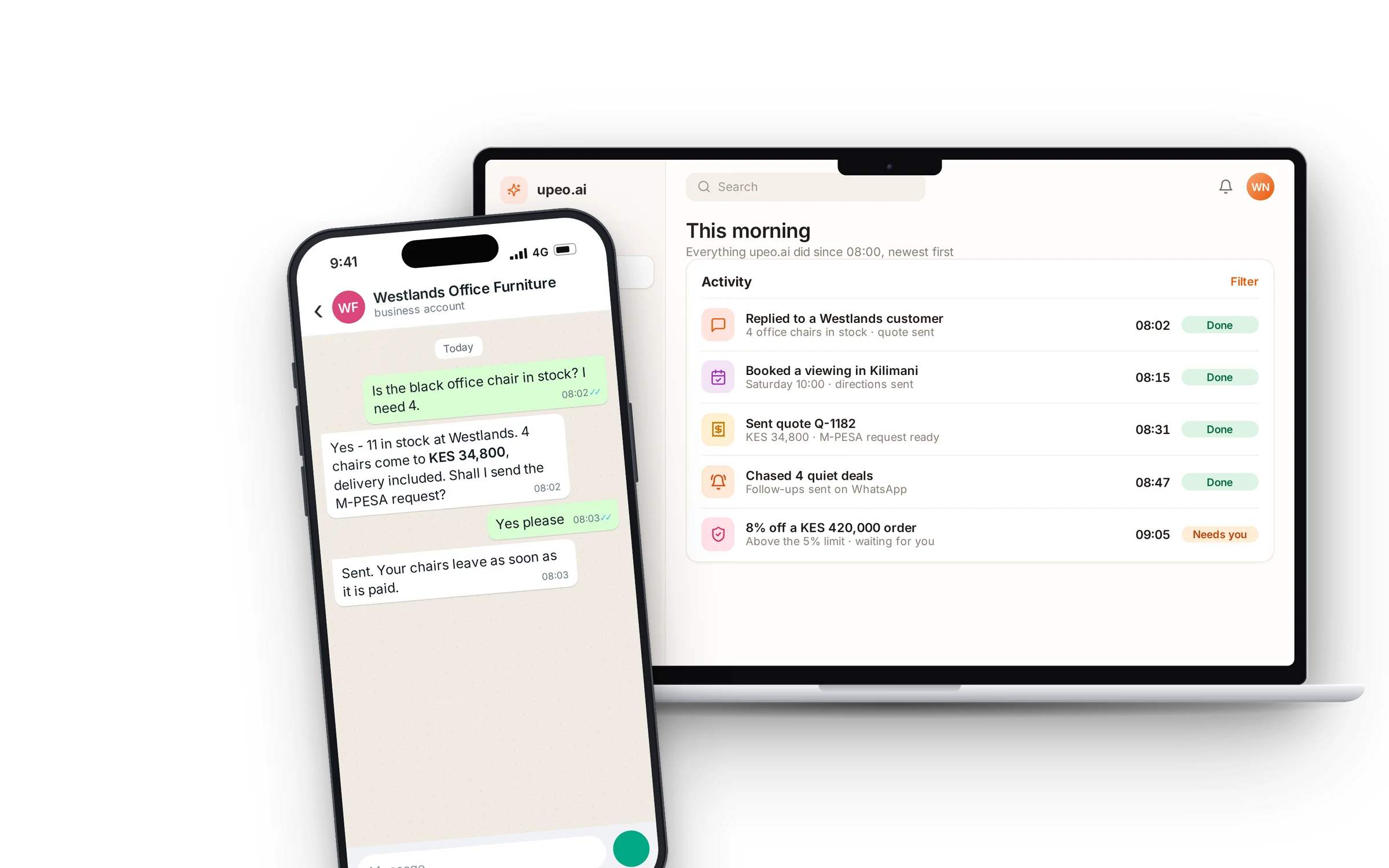
Watch AI handle your business - in real time.
Each conversation below plays out the way upeo.ai works inside a business: reading messages, checking your records, taking action, and replying - and stopping for a person where you set the line. Names and figures are examples.
Six conversations, from first message to done.
Pick a conversation. The chat plays on the left; on the right you see each thing upeo.ai checks and does before it replies, when it stops to ask a person, and how the conversation ends. Names and figures are examples.
What happens behind every reply.
The same six steps run in every conversation above, usually in a few seconds. Most of the time the customer only sees the last one.
Reads the message
Works out what the person wants - an order, a booking, a complaint, a question - and pulls out the details: items, quantities, dates, places, amounts. Photos and PDFs are read too.
Checks your records
Looks up stock, prices, the diary, the customer's history and open invoices in your own systems, so the answer is about your business today, not a guess.
Decides if a person is needed
Compares the request with the limits you set: discounts, refunds, payment plans, anything unusual. If it is over the line, it asks the right person and tells the customer it is checking.
Does the work
Creates the quote, books the slot, sends the M-PESA request, posts the payment or drafts the follow-up - inside ERPNext, your CRM or your calendar.
Replies in plain words
Answers on the channel the customer used, in English or Swahili, with the figures and next step they need. Long answers are broken into short messages on WhatsApp.
Leaves a record
Every message, decision and action is logged against the customer and the document it touched, so your team can see what happened and why.
Where it stops and asks a person.
You set the lines. upeo.ai handles the routine inside them and brings everything else to the right person, with the context already gathered.
Discounts above your limit
It quotes your price and asks the manager you name. The customer is told someone is checking.
Refunds and payment plans
It gathers the account history and the request; accounts decide.
Upset customers
A complaint or a frustrated tone goes straight to a person, with the whole conversation attached.
Anything it is unsure of
If your records do not answer the question, it says so and passes it on instead of making something up.
Expenses and purchases
Receipts and purchase orders are drafted and checked, then wait for a manager to approve before they post.
Messages you have not approved
Bulk follow-ups and reminders it drafts for you are sent only once you say so.
True in every deployment, by design.
These are not estimates. They hold because of how the system is built: it is always on, it works across your channels, and it stops for a person where you set the line.
Answers at any hour, on every connected channel
Channels in one place: WhatsApp, email and web
Sensitive actions taken without a person approving them
Of messages, decisions and actions logged for your team to see
Connects to what your team already uses.
upeo.ai does not replace your existing tools - it reads them, acts through them, and keeps everything in sync. Your CRM gets updated. Your calendar gets booked. Your team gets notified with full context.
In your business, each workflow in the demo above runs on live connections to WhatsApp Business, your email inbox, your CRM, and your team's calendar - all configured for your specific business context.
See it built for your businessReady to see this inside your business?
We build and deploy the system for you - configured to your workflows, your data, and your team. The first session maps exactly what AI can take off your plate.