Picture a shop's WhatsApp integration that works perfectly in testing and fails quietly on its second day in production. A customer asks about a gas cooker on Monday morning. On Tuesday afternoon the stock arrives, and the system tries to send her a friendly free-text message: "Good news, the cooker is in." It never arrives. Nothing crashes. The API returns an error, the error goes to a log nobody reads, and the customer buys elsewhere.
The code is fine. What was missed are the rules of the platform. If you are building anything on the WhatsApp Business Platform, these rules decide your design more than any library choice does.
The 24-hour customer service window#
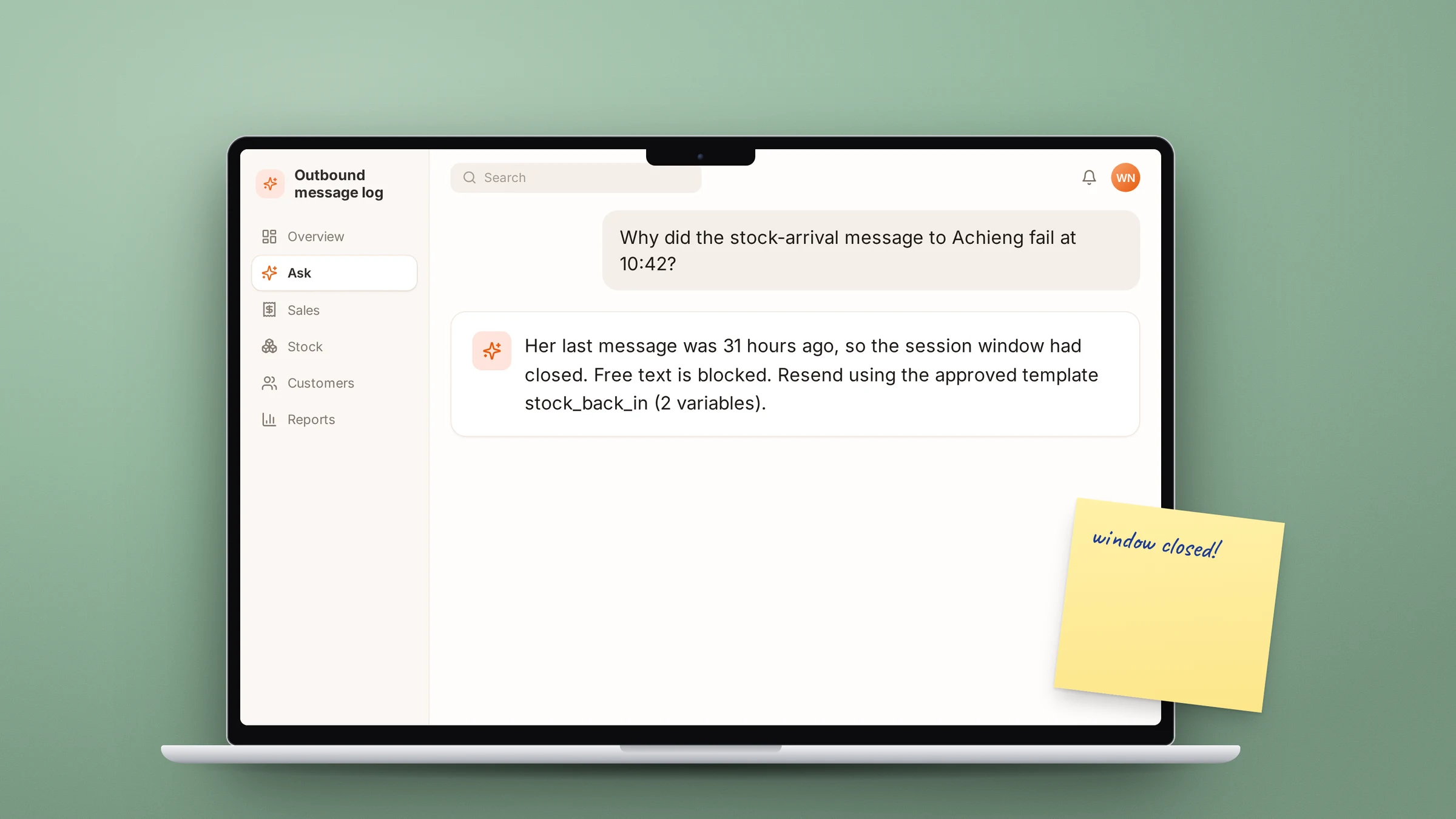
When a customer messages your business number, a window opens. For 24 hours from their latest message, you may reply with any content you like: free text, images, documents, buttons. Each new message from them resets the clock.
Once the window closes, free-form messages are refused. The only way to start the conversation again is a template message: a pre-written message that Meta has reviewed and approved for your account.
That one rule explains the cooker failure. Monday morning plus 24 hours is Tuesday morning. By Tuesday afternoon, the system needed a template, and it did not have one.
What this means in code:
- Store the timestamp of the customer's last inbound message on the contact record, and update it on every webhook.
- Before any outbound send, check it. Inside the window, send free text. Outside it, choose a template or do not send.
- Treat "window closed" as a normal branch of your logic, not an exception you discover in logs.
Templates are part of your product, not paperwork#
A template is text with numbered placeholders, submitted for approval in advance. For example:
Hello {{1}}, the {{2}} you asked about is back in stock at our Kimathi Street shop.
Reply to this message if you would like us to keep one for you.
Templates are sorted into categories (broadly marketing, utility and authentication), and the category affects how they are reviewed and billed. A stock-arrival notice for someone who asked is utility; "20% off all cookers this weekend" is marketing. Label honestly. Templates filed in the wrong category tend to get reclassified or rejected, and a rejected template is a feature that cannot ship.
Some practical habits that have saved us time:
- Write templates early. Approval is usually quick but not instant, and sometimes a template comes back rejected. Do not leave it for launch week.
- Keep variables few and specific. A template that is one giant variable looks like an attempt to get around the review, and it is.
- End with a reason to reply. A customer reply reopens the 24-hour window, and then your normal conversation logic takes over.
- Version them. Keep the template names and texts in your repository next to the code that uses them, so a reviewer can see which code depends on which approved wording.
Limits, quality and opt-in#
There are limits on how many distinct customers a number may start conversations with in a day, and those limits rise as your number builds a good record. The quality of that record depends on how people react: if many recipients block or report you, your rating drops, and with it what you are allowed to send. The exact tiers and rules change, so read Meta's current documentation rather than hard-coding a number you saw in a blog post, this one included.
Two consequences for design:
- Every outbound send goes through one queue. Not five scripts each calling the API. One place that knows the limits, spaces sends out and can pause everything if the quality rating drops.
- Only message people who asked. Record opt-in on the contact with a date and the reason ("asked about cooker, 12 May"). This is good manners, it protects the number, and Kenya's Data Protection Act 2019 expects you to have a basis for contacting people. Check the ODPC's guidance or a lawyer for what applies to you.
The shape of a sound integration#
Putting it together, a WhatsApp integration that survives production has four parts:
| Part | Job |
|---|---|
| Webhook receiver | Records every inbound message and status update, updates the last-inbound time, returns quickly |
| Conversation state | Knows, per contact, whether the window is open and what was last discussed |
| Outbound queue | Decides free text or template, respects limits, retries safely |
| Failure report | Shows a person every message that could not be sent, every day |
The last row is the one people skip, and it is the one that would have saved the cooker sale. A failed send is a customer you meant to talk to and did not. Somebody should see the list.
If you are thinking about where automated replies should stop and a person should take over, we wrote about when AI should not touch your customer messages. And if the content you send depends on stock, keep it honest with a catalogue that stays in step with your stock.
What to do this week#
Look at the code that sends your outbound WhatsApp messages and answer three questions. Does it check the 24-hour window before sending? Is there an approved template for every message that might go out after the window has closed? Does a human see failed sends? If any answer is no, that is your next ticket.