Take Achieng, who runs a baby products shop in Kisumu, where a good share of her sales start on WhatsApp. Customers browse her catalogue in the evening, pick a stroller, and message her to pay. One Monday, three different customers try to buy the same stroller. She sold the last one on Saturday. Two of them leave politely. The third posts a sharp review in a mothers' group about shops that "advertise what they don't have".
Her stock system knew the stroller was gone. Her catalogue did not, because the two never talk. She updates the catalogue on Sunday evenings when she remembers, which is most Sundays, and stock moves every day.
Why the catalogue drifts#
A WhatsApp catalogue is a second copy of part of your stock list: item names, photos, prices and whether you have them. Every second copy drifts. It drifts in three ways:
- Availability. Items sell out, or come back in, between updates.
- Price. You change a price in the shop and forget the catalogue, or the reverse.
- Range. New items arrive and never get listed, so the catalogue undersells you.
The fix is not "update it more often". It is deciding which copy is the truth, and making the other one follow it. The truth should be your stock system, because that is where sales are recorded and counts are kept.
Step 1: Make the stock record catalogue-ready#
Before anything can be synced, each item in the stock system needs what the catalogue needs:
- A clean customer-facing name. "STRLR CLSC GRY" works at the till, not in a catalogue.
- A good photo.
- The selling price, from one dated price list.
- A short description: size, colour, age range, what is in the box.
- A flag saying whether it belongs in the catalogue at all.
Most shops do not list everything. Pick the items customers actually ask about on WhatsApp, often fifty to a hundred, and start with those. Writing the names and descriptions is a good Stage 1 job for an assistant; the 200 product descriptions post shows the routine.
Step 2: Decide the sync rules#
Once the stock record holds catalogue fields, write down simple rules, because a system needs them spelled out:
| Situation | What the catalogue does |
|---|---|
| Stock falls to zero | Item hidden, or marked out of stock |
| Stock falls below a low level, say 2 | Item stays, but replies say "last few" |
| Price changes in the system | Catalogue price changes the same day |
| New item with the catalogue flag on | Listed once it has a photo and description |
| Item flag turned off | Removed from the catalogue |
The low-stock rule matters more than it looks. When two customers are looking at the last unit, you want to know before either of them pays.
How the sync happens depends on your setup. Some shops connect their system to the WhatsApp Business tools directly through an integration. Others keep it simpler: a daily report from the stock system listing what has changed, and someone updating the catalogue from it in ten minutes. The rules are the same either way; only the hands differ.
Step 3: Check, every morning#
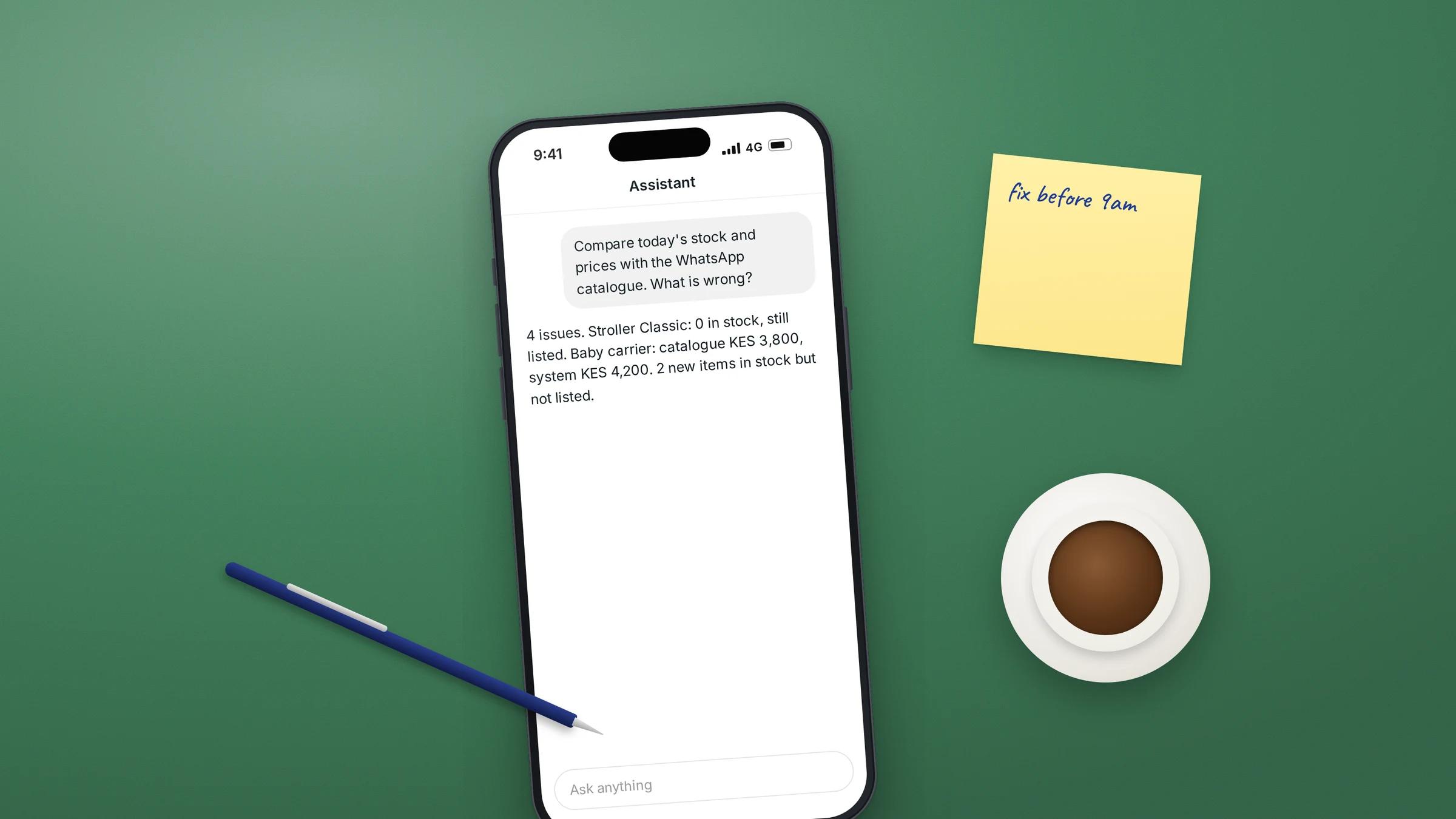
This is where an assistant fits in the workflow. Each morning it compares the catalogue with the stock system and sends a short list: items listed but out of stock, prices that differ, items in stock and flagged but not listed. A person fixes them, or approves the fixes, before the first customer browses.
That daily comparison is valuable even if you never automate the sync itself. It turns "I think the catalogue is right" into a list of exact differences, every day.
If conversations themselves are the bottleneck, rather than the catalogue, that is a different job: taking orders in conversation with Wavu looks at it.
What to do this week#
Open your WhatsApp catalogue and your stock list side by side. For each listed item, check three things: is it in stock, is the price the same, is the photo the real product. Mark every mismatch. Fix them, then note how long the check took. That time, multiplied by every day you should be doing it, is the case for letting the system do it.