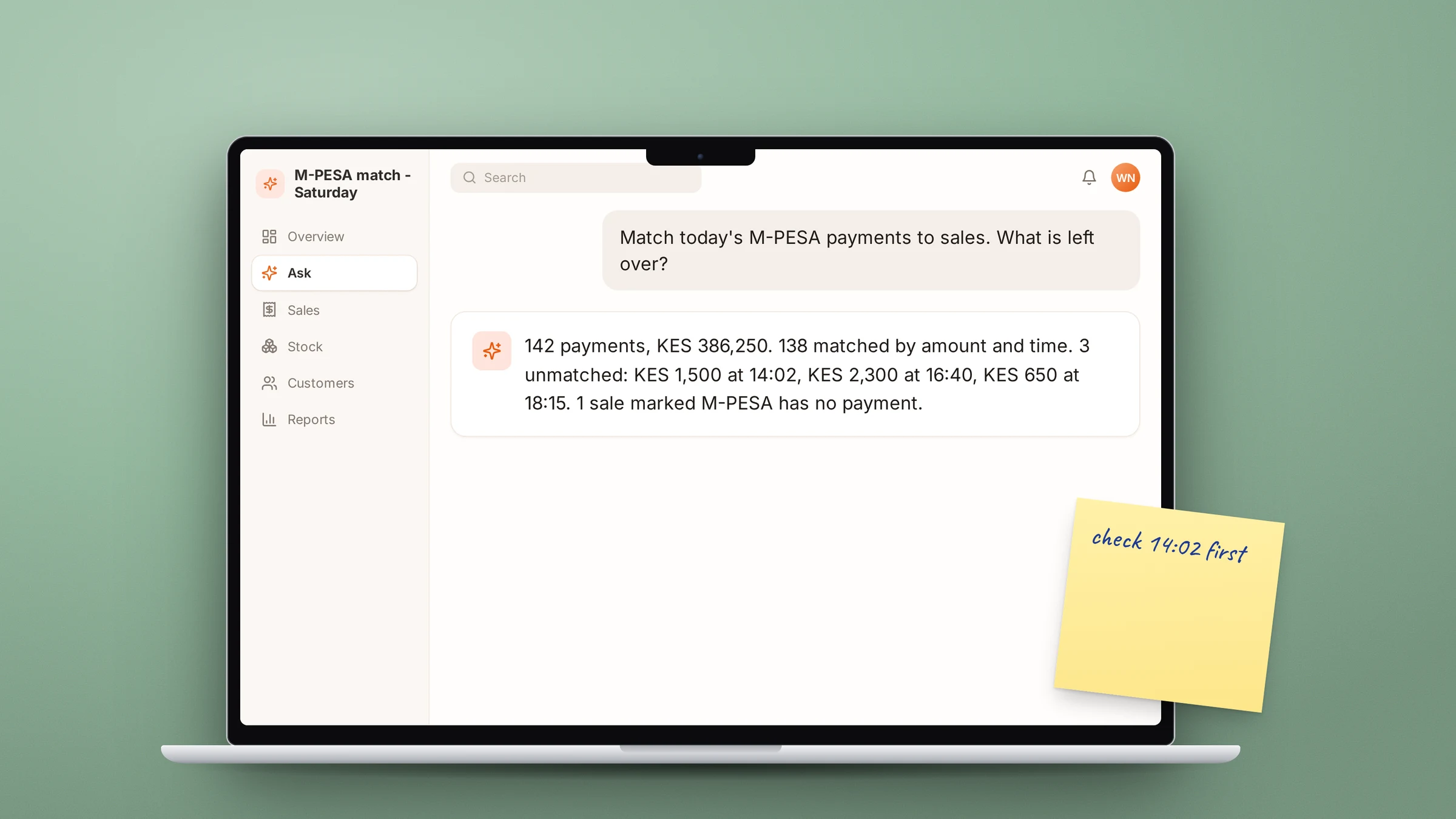
Picture a phone accessories shop on Moi Avenue on a Saturday. Two cashiers, one queue, and most customers paying by M-PESA to the shop's till number. At closing the owner has 142 M-PESA messages and a sales report that says KES 3,800 more was paid by M-PESA than the messages show. Somewhere in the afternoon, a customer showed a message that was not quite what it seemed, or a cashier recorded a cash sale as M-PESA, or both. Finding out which means scrolling through the day's payments one by one.
How hard that job is depends partly on a choice the shop made long ago: till or paybill.
This is general guidance on reconciling, not advice on which product to choose. Terms, charges and features are set by Safaricom and change, so check their current information or ask your bank or accountant before you switch anything.
What arrives with each payment#
The difference that matters for reconciliation is what information the payment carries.
A Buy Goods till. The customer enters your till number and the amount. What you receive is, essentially: amount, time, a transaction code and the payer's name. There is no field for the customer to tell you what the payment was for.
A paybill. The customer enters your business number, an account number and the amount. You receive all the till fields plus that account reference. The account field can carry whatever your process asks for: an invoice number, a customer code, a table number.
That one extra field is the heart of it. With a till, you match payments to sales by amount and time. With a paybill, you can match by reference, if customers enter one you can use.
Matching till payments to sales#
For a busy counter, a till is often simpler for customers: no account number to get wrong. Reconciliation then relies on three things:
- Record the M-PESA code on the sale. The cashier types or scans the transaction code from the confirmation into the sale. This is the single most useful habit. A sale with a code is matched; a sale without one is a guess.
- Record the time accurately. If the code is missing, amount plus a short time window is the next best match.
- Never accept a screenshot or a forwarded message as proof. Confirm the payment in the shop's own M-PESA record or statement before the goods go. Fake confirmation messages are an old trick.
With codes on sales, a daily match is mostly mechanical. Without them, two KES 1,500 payments ten minutes apart are hard to tell apart.
Matching paybill payments#
A paybill works best where payments are not made at the counter: credit customers settling statements, deposits for orders, monthly accounts. The account reference lets you match a payment straight to an invoice or a customer, days later, without anyone remembering anything.
The catch is that customers type the reference, and customers type it wrong. Plan for that: use short references (a customer code like "K104" rather than a long invoice number), print the exact reference on every statement, and treat unmatched references as a daily list for a person to sort. If you sell on credit, tracking who owes and nudging politely shows how the reference fits into statements.
Many shops end up with both: a till at the counter and a paybill for accounts.
A daily routine that keeps it small#
This is where Stage 3 of the NGAZI ladder fits: the system does the matching every day, and a person handles what is left.
- Each evening, import the day's payments from the statement.
- Match automatically, first by transaction code, then by account reference, then by amount within a few minutes of the sale.
- List the leftovers: payments with no sale, and sales marked M-PESA with no payment.
- A person resolves the leftovers the same evening or next morning, while cashiers still remember.
The leftover list is the whole point. A shop with 140 payments a day should end up with a handful to look at, not 140.
What to do this week#
From Monday, ask cashiers to type the M-PESA transaction code onto every M-PESA sale. At the end of each day, count how many sales have a code and how many do not. By Friday, pick one evening and match that day's statement to sales. You will see how much faster coded sales match, and which cashier needs a word.