The first version of almost every AI feature that writes data looks the same. The
model reads an invoice photo, produces some JSON, and the code calls insert().
In a demo it is wonderful. In a real shop, the first time it reads a 7 as a 1 on a
quantity, a stock balance is wrong and nobody knows why.
We have built several features that let AI propose changes to ERPNext records, and the pattern we settled on has five stages: draft, show, approve, log, undo. The approve button is the part users see. This post is about the other four, which is where most of the engineering lives.
Draft: a real object with a status#
The model's output should never go straight into the target table. It goes into a
pending-action record of its own: who asked, what source it came from (a photo, a
message, a stock alert), the proposed document as structured data, the model and
prompt version that produced it, and a status of pending, approved, rejected
or expired.
This gives you three things for free. Drafts survive a restart. Two people cannot approve the same draft twice, because the status changes atomically. And a draft can expire: a purchase order proposed on Monday from Monday's stock level should not be approvable on Friday without being rebuilt.
Validate the draft against the target schema when it is created, using the same validation the real document will face. A draft that cannot be saved should fail loudly at draft time, not after the owner taps approve.
Show: a diff, not a form#
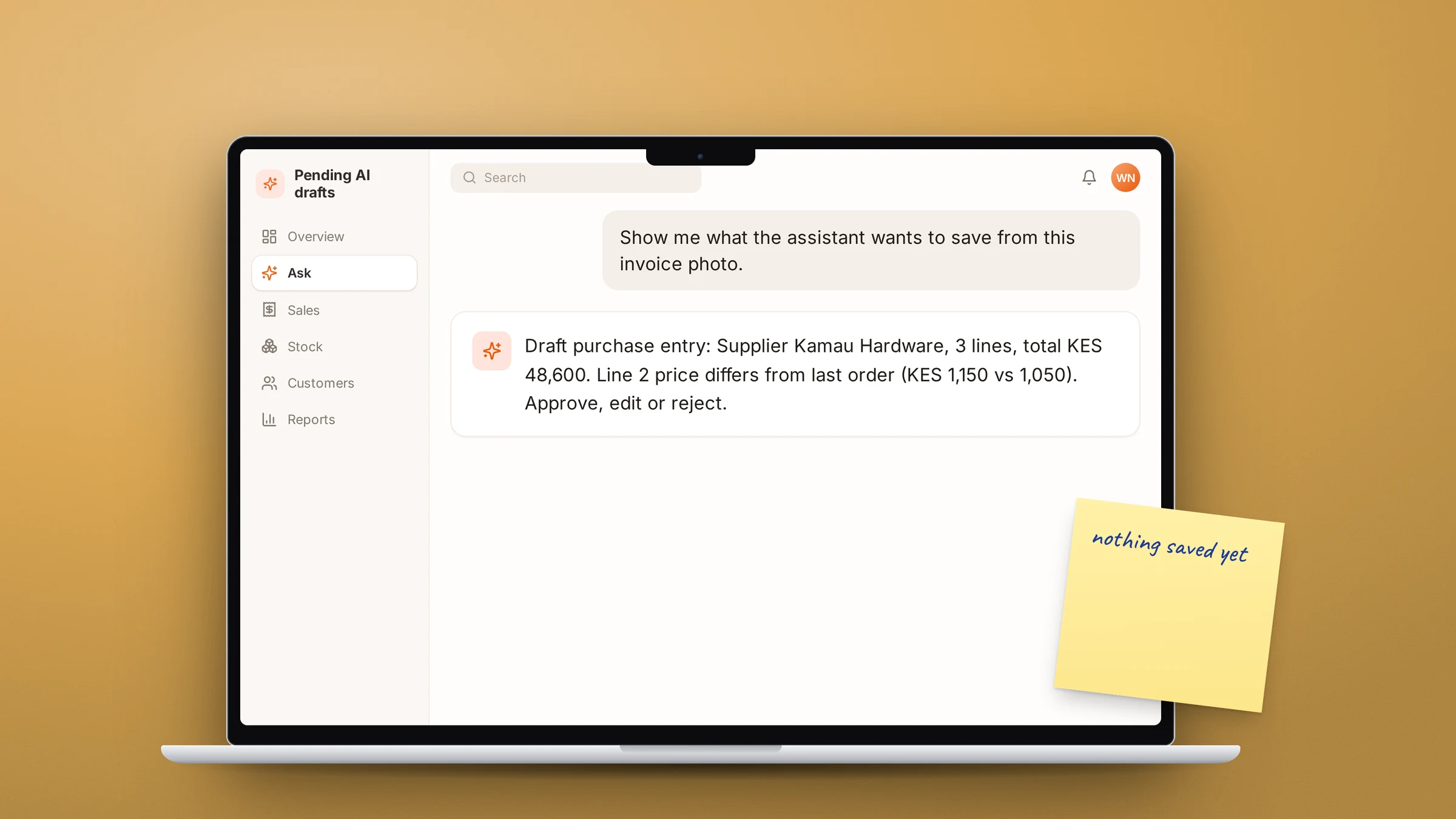
The review screen decides whether approval means anything. If it shows twenty fields, people approve twenty fields without reading them. What works better:
- Put the source next to the draft. The invoice photo beside the lines read from it, the customer message beside the reply.
- Show differences from normal. A price 10% above the last purchase from that supplier, a quantity three times the usual order, a supplier the item has never come from. Highlight those and leave the rest plain.
- Say what will happen. "This will create a Purchase Receipt and add 40 rolls to Main Store." Plain words about the effect, as well as the data.
If the review screen does not make the unusual thing obvious, the approve button is decoration.
Approve: as the person, at that moment#
When the user approves, the write must run with that user's permissions, through the same paths a manual entry would use. In ERPNext that means creating the document as the session user and letting the normal permission and validation rules apply, rather than inserting with flags that skip them.
Check permissions at approval time, not draft time. Roles change, and a draft made for a manager should not be approvable by a cashier who happens to see the link.
Make approval idempotent. Mobile networks retry, people double-tap. Key the write on the draft id so a second approval returns the first result instead of creating a second document.
Allow edits before approval, and record that they happened. "Approved with changes" is useful information about where the model is weak.
Log: one linked trail#
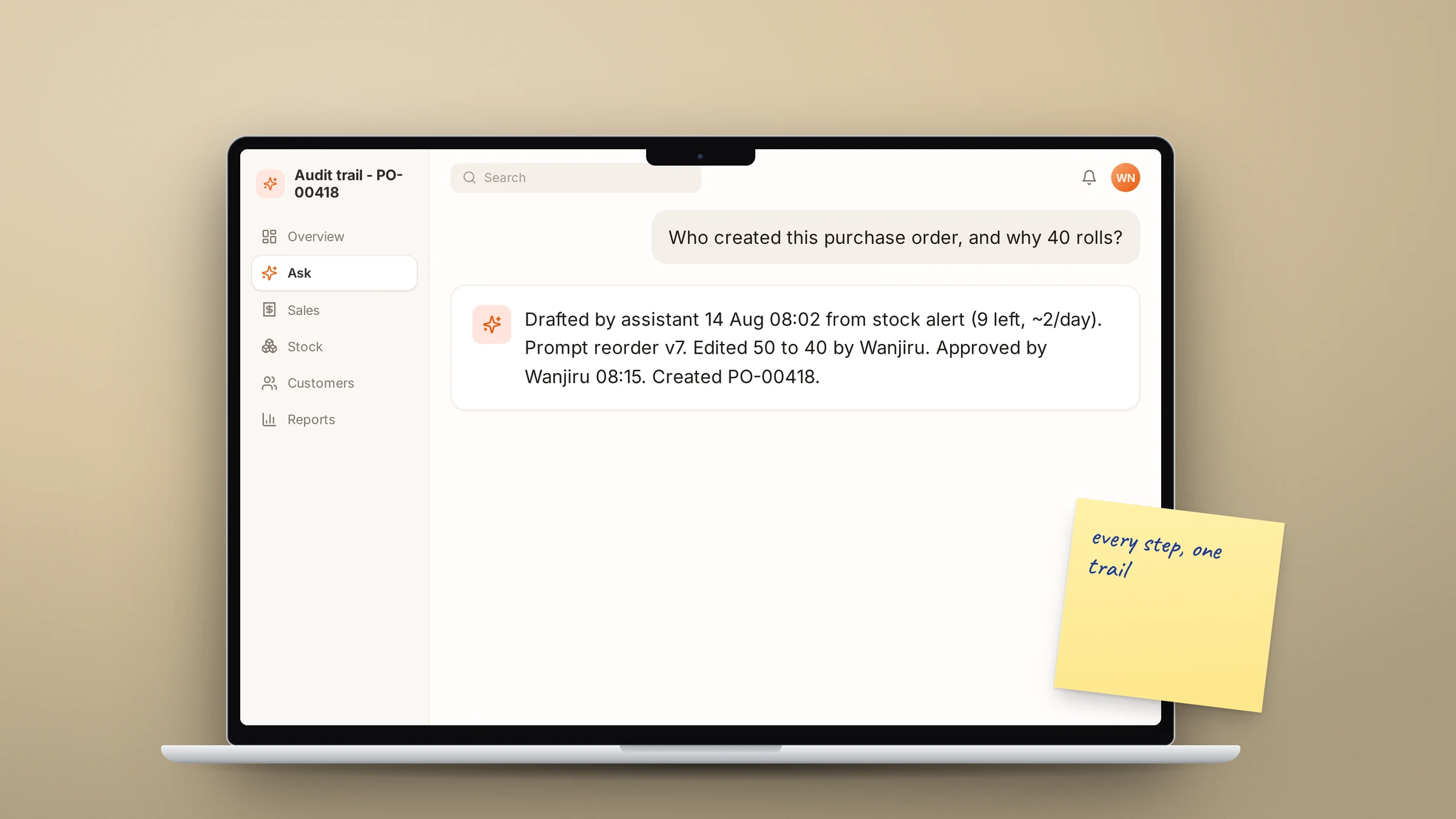
Every draft should produce a trail you can follow from either end: from the stock entry back to the photo, or from the photo forward to everything it caused. At minimum store the source, the draft, the user's edits, who decided, when, and the id of the document created. We cover the detail in a later post on audit logs, but the design rule is simple: the log is written by the same transaction as the status change, so you cannot have one without the other.
Undo: designed first#
Decide how each write is reversed before you build it. For submitted accounting and stock documents in ERPNext the honest undo is cancellation, which leaves the original and its reversal both visible, rather than deletion, which erases history. For simple record updates, store the previous values on the draft so a revert is a one-step operation.
What to do this week#
If you have an AI feature that writes anything, list every write path it has. For each one, answer five questions: where does the draft live, what does the reviewer see, whose permissions apply, where is it logged, and how is it undone. Any blank answer is your next task.
For the owner-facing side of the same idea, see no silent writes, and for where this sits in the bigger picture, what it looks like when AI runs inside the system.