A fuel receipt from a petrol station in Athi River, photographed on a car seat at an angle, with a thumb over the corner. A hardware shop's handwritten cash sale note. A supermarket till roll that has been folded in a wallet for a week. These are the receipts a WhatsApp expense tool actually receives, and they are what you have to measure against.
When we built the receipt reader in UpeoXpense, the first question anyone asked was "how accurate is it?". The honest answer is that there is no single number. A reader can get the supplier name wrong on one receipt in ten and nobody minds much; if it gets the total wrong on one in fifty and nobody catches it, the books are wrong. So we measure each field on its own.
Build a labelled set from real receipts#
Start with receipts from the real channel, not clean scans. Collect a few hundred, with permission, from the people who will use the tool, and remove anything personal you do not need. Make sure the set has the mix you see in practice: thermal till rolls, handwritten notes, printed invoices, faded ones, photos at an angle, receipts in Swahili and English.
Then a person labels each one with the correct value for every field you extract: supplier, date, total, tax amount, tax PIN, receipt number, and line items if you extract them. Two rules make the labels useful:
- Label what is on the paper, not what you wish was there. If the total is unreadable, the correct answer is "unreadable".
- Have a second person check a sample of the labels. Labelling errors are common, and a test set with wrong answers in it will punish a model for being right.
Keep this set fixed. When you change the prompt or the model, you run the same set and compare.
Decide what counts as correct, per field#
Each field needs its own rule, written down before you look at results:
| Field | Correct when |
|---|---|
| Total | Equal to the label after removing commas and currency text |
| Date | Same calendar day, whatever the format on paper |
| Supplier | Matches the label after normalising case and spacing, or maps to the same supplier record |
| Tax PIN | Exact match, character for character |
| Line items | Each line's quantity and amount match; score lines, not the whole list |
Write the normalisation code once and reuse it in every run. Arguing about whether "KES 1,250.00" equals "1250" every time you look at a result wastes hours.
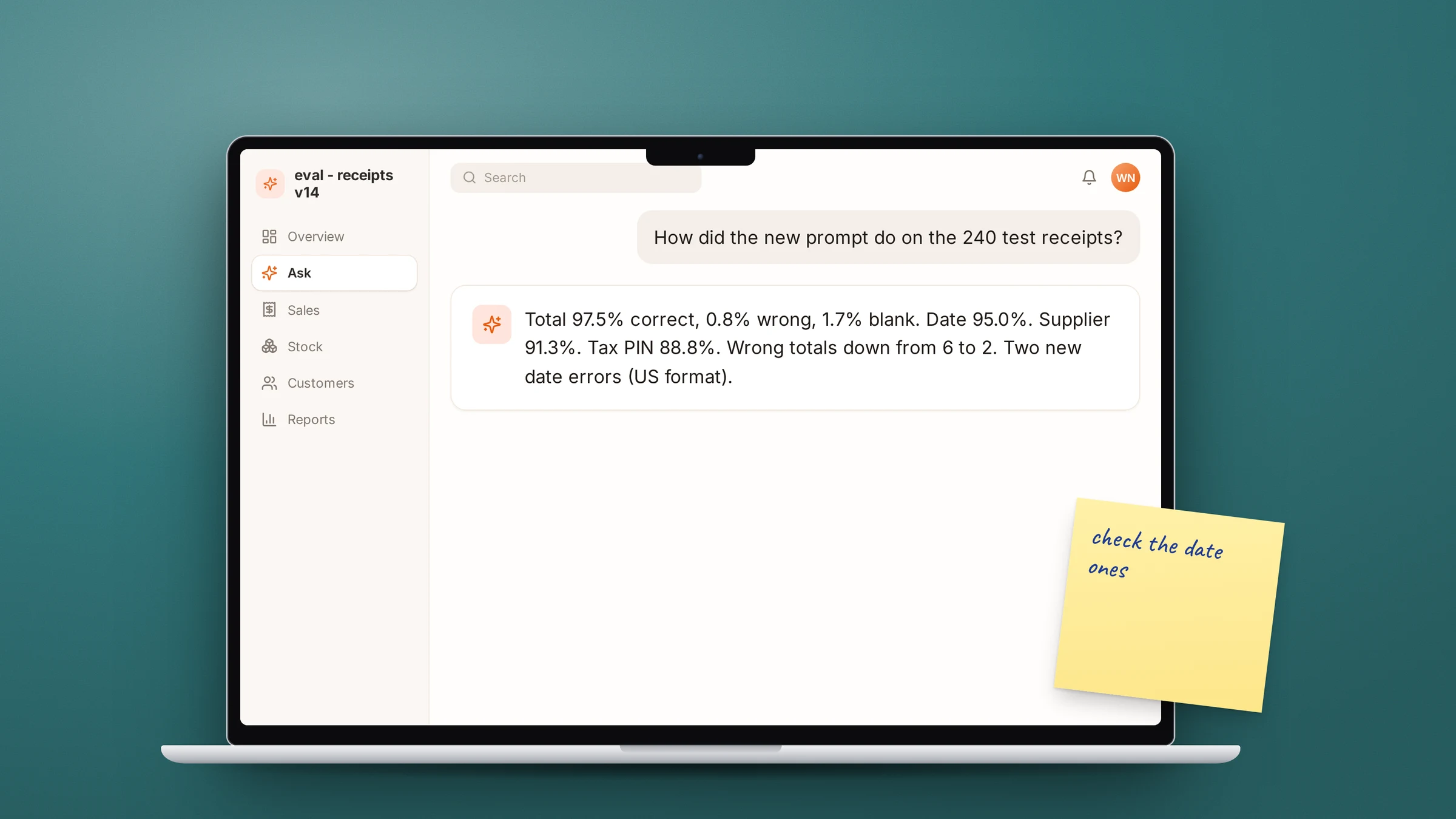
Dates deserve special care. "03/04/2026" is the 3rd of April on a Kenyan receipt and the 4th of March to a model that has read more American text. Test for it specifically, and in production, reject any extracted date that is in the future or far in the past.
Count three outcomes, not two#
For each field on each receipt, there are three outcomes, and they are not equal:
- Correct: the value matches the label.
- Blank: the reader said it could not read the field.
- Wrong: the reader gave a value, and it does not match.
A blank is cheap: the person approving the expense sees an empty total and types it in. A wrong value is expensive: it looks fine, so it may get approved. So we report the three separately and watch the wrong rate most closely. A change that turns four wrong totals into four blanks is an improvement, even though the "correct" figure has not moved.
Weight by what an error costs#
Once you have per-field results, decide which fields gate a release. For an expense tool, our order is:
- Total: wrong rate must not go up. Ever.
- Date: matters for the accounting period and for spotting duplicates.
- Tax amount and PIN: matter wherever the expense is claimed against tax records, so they need to be right or blank.
- Supplier: helpful, easily corrected by the approver.
- Line items: nice to have for most expenses.
A new prompt that improves supplier names but adds one wrong total does not ship.
Look at the failures, not only the scores#
After every run, read the receipts the reader got wrong. The scores tell you how much; the failures tell you why. Patterns show up quickly: totals confused with "amount tendered" on till rolls, change given read as the total, the VAT line read as the total on certain printers. Each pattern becomes either a prompt instruction, a check in code (does the total equal the sum of the lines plus tax?), or a new labelled example in the set.
This is the same discipline as regression tests for AI answers, applied to documents.
What to do this week#
If you run any extraction feature, label fifty real receipts by hand this week, write the per-field rules in a table, and score your current setup with correct, blank and wrong counted separately. Fifty is enough to see where you stand, and it gives you the start of a set to grow.