Picture the first month an AI feature runs for several businesses at once. The provider's invoice arrives as one number, higher than anyone guessed. The obvious questions follow: which customer used most of it, which feature, and was any of it waste? The invoice cannot answer a single one of them, and neither can the logs if they recorded the answers and not what each answer cost.
Our rule is that every model call is metered at the moment it happens, against the tenant, the feature and the user that caused it. This post is the shape of that, for developers building AI into a product that serves more than one business.
Why the monthly bill is the wrong unit#
A provider bill is an aggregate. It tells you total tokens, maybe split by model. For a multi-tenant product you need three other cuts:
- Per tenant, so you can see whether a customer's plan covers what they cost you.
- Per feature, so you know which part of the product is expensive and can tune it.
- Per request, so that when one call costs fifty times the median you can open it and see why.
None of these can be rebuilt after the fact. If the request did not carry the tenant ID when it was made, no amount of analysis later will put it back.
What to record on every call#
We wrap every model call in one small client. Nothing in the codebase calls the provider SDK directly, and that rule matters more than any of the fields. The wrapper writes one row per call:
| Field | Why |
|---|---|
| tenant_id, user_id | Who caused it |
| feature | "morning_brief", "invoice_read", "ask" |
| model | Prices differ by model; so does quality |
| input_tokens, output_tokens | Straight from the provider's response |
| cached_tokens | If the provider reports them; they are often priced differently |
| cost | Computed at write time from a rates table |
| latency_ms, status | Retries and failures cost money too |
| request_id | Links to the full log of the call |
Use the token counts the provider returns in its response. Counting tokens yourself with a tokenizer is fine for estimates, but the bill is computed from the provider's numbers, so those are the ones to store.
Retries, escalations and background jobs#
The expensive calls are rarely the ones a user is waiting on. They hide in three places:
Retries. A call that times out after the provider has done the work may still be billed. Record every attempt as its own row with its status, so a flaky network shows up as cost, not only as latency.
Escalations. If you send hard cases to a stronger model, as our expense reader does when its first read is unsure, the escalated call needs the same tenant and feature tags plus a parent ID pointing at the first attempt. Then you can see what escalation costs you per feature.
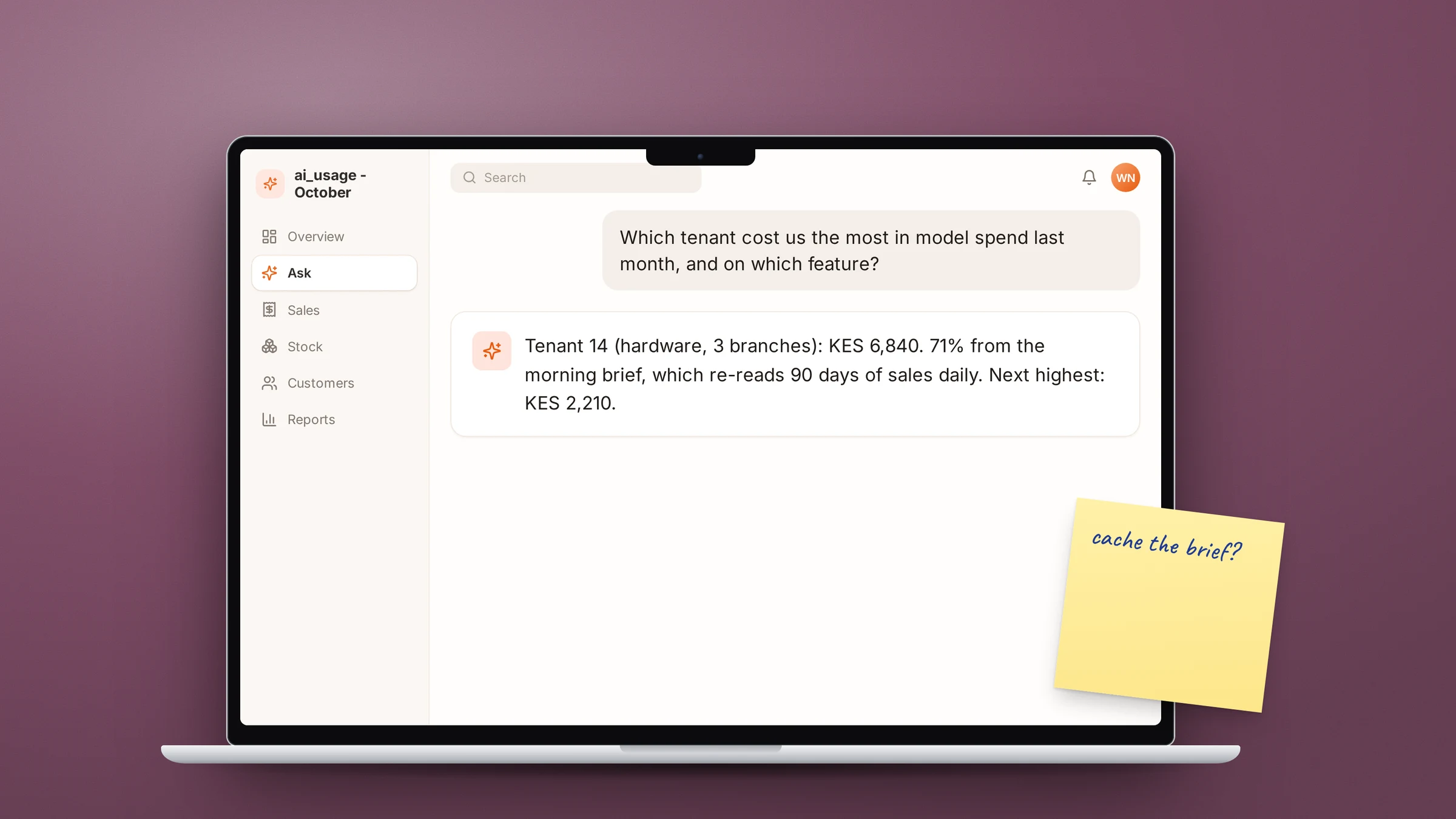
Scheduled jobs. A morning brief that runs for every tenant at 6 a.m. has no user behind it. Tag it with the tenant and a system user, never leave the fields empty. In our example on the cover, one tenant's brief re-read ninety days of sales every morning, and the per-feature split found it in a minute.
Turning rows into decisions#
Once the rows exist, the useful views are short queries:
- Cost per tenant per month, beside what that tenant pays. Anyone below water is a pricing conversation or an engineering fix.
- Cost per feature per active user. This is the number to watch when you change a prompt or a model.
- The top fifty most expensive single requests of the week. Read them. Most will be a prompt that stuffed too much history in, or a loop that called the model again on its own output.
From there, caps are easy to add: a soft limit per tenant that alerts you, and a hard limit per feature that degrades gracefully, for example by sending a shorter brief, instead of failing. We covered the wider sums in what it costs to run an AI feature, honestly; metering is what makes those sums real for your own product.
Keep it next to the audit log#
Usage rows and audit rows answer different questions, cost and accountability, but they share a request ID. When someone asks why a tenant's bill jumped, you go from the expensive row to the exact prompt and answer in one hop. If you have not built the audit side yet, logging every AI action for audit covers it.
One caution: the usage table must not become a second copy of customer data. Store counts, IDs and costs. Keep prompt and response text in the access-controlled log where it already lives.
What to do this week#
Find every place in your code that calls a model provider directly. Route them all through one wrapper, even if the wrapper only adds tenant, feature and token counts at first. Run it for a week, then sort by cost. You will almost certainly find one feature or one job you would never have guessed.